I can claim: Ubuntu is the OS with the quickest and painless installation that I’ve ever installed in a PC
· I need only some hours to install Ubuntu (with some extra programs).
· I used to need a weekend to install Windows (with the pain of looking for drivers).
· I used to need some weeks to install older Linux versions.
I’m not the kind of geek who installs the OS of his computer offen. I normally install it when it’s really necessary (normally once every 2 or 3 years). But seeing the installation of Ubuntu, I can’t understand how people still think that Linux is complicated…
Nowadays almost all the companies use standard methods for interviewing candidates. They still use some common techniques like tiers of technical tests to find the perfect person… who can have an incredible CV and outstanding skills. But later he could be a complete fool, or he doesn’t fit in the company atmosphere. During my University days I saw people getting better results (than me) in the “Nets” subject, without really knowing what is an IP address! And while working in different places, I’ve seen the same: people without really good tech skills being really good coworkers (trying to learn every single day, trying to create a nice office mood…), and people with impressive knowledge avoiding to share it, or being incredibly selfish. What I’m trying to say is that maybe it’s good to do some filtering regarding technical skills, but later you must focus on testing the person, and not in testing the professional.
Example 1: Last.fm could be a dream place for working. Specially if you love music, web and charts. Yesterday I was looking at their job offers and it was nice to find as a requirement: “with something that passes for music taste 😉“. Brilliant!!
Example 2: Some weeks ago my manager was interviewing some candidates for an “HTML layout specialist” position. I suggested him to ask them “are you lazy?”, and they should answer “yes” because “the lazy programmers get the things done quickly, and try to do the things in a neat way, to finish quickly”. Of course it was somewhat of a joke. But he got the hidden idea. And finally we hired a chemist, with some experience in HTML Strict mode and mad as a hatter, instead of a telecommunications guy with an overfull CV (mostly filled with glossy titles) and having bad manners during the interview. Eventually, he fits perfectly in our department, so it was a good decision.
Some people love using Google Images for finding images to use in their blogs. And they use the absolute URL, which means: they show the image in their sites, but they use YOUR bandwidth. In the last few weeks I’ve discovered quite a lot of webpages that use images located at my domain.
Some days ago I detected one, and I changed the content of one stolen image (a Dali’s clock) to another thing (a gay bears picture), and started laughing: the thief put the clock image beside a text which says something like “it’s time to change”… what a change! :-D.
But due to the quantity of thieves, I decided to create a script to “scare” them. It’s a small .htaccess:
Basically it verifies if the image is NOT referred from my site (or some usual RSS readers), redirecting the request to another place. The funny thing is that if the thieves use Google Images, they’ll see the correct image. But later, when they decide to add the absolute URL in their sites, the “change” takes place… (and sometimes they’ll not realize it because their browser will have cached the image, making more fun for the visitors).
Sometimes a melody starts to sing inside your head, and you have no idea where it is from. Maybe from a TV series, maybe from a stupid summer song… How can you find out the name of that tune? Ta-ra-ta-ti-taaa-taaa, ta-ra-ta-ti-taaaaa…
This week at the office everybody’ve been whistling a melody without knowing where it was from. So I decided to look for its name. I remembered from my PhD lessons that there was a website for music retrieval, where you write the notes and it returns a list of possible songs. But that website was as difficult to find as the name of the song. Finally we discovered 2 options for musical retrieval:
· Musipedia: with 4 different input modes (from writing notes to singing), but mostly focused in classical music.
· SongTapper: where you can tap the rhythm of the song, and get some results.
Finally the searched song was Hawaii 5-0 Intro, a really weird result, because nobody at the office have seen that series!
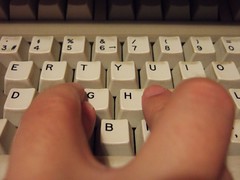
Somebody at the office played a joke on me. This morning I found my keyboard with 2 exchanged keys: the “Y” and the “I”. It was interesting however. I tried to work without putting them back to their original positions, and the result was quite surprising: if I typed without looking at the keyboard, I did it well; but if I looked at it (even for just a second), I started typing incorrectly. And this is quite dangerous if you use VIM and try to “Ynsert”. So finally I’ve moved them to the correct positions.
But are the keys of the keyboard in the best positions? Of course not.
The current keyboard layout is inherited from the mechanical typewriters, where they configured the key positions trying to avoid hits between the arms of every character. Speaking about keyboard layouts, the Wikipedia has some information about them which is worth a visit. Specially I suggest reading about Dvorak Simplified Keyboard, which is an optimized one for speed and ergonomy (reducing fatigue). And don’t miss the one-hand versions!!
“Good judgement comes from experience.
Experience comes from bad judgement.”
A couple of years ago I was working on an (NLP aided) Information Retrieval system, for my PhD. It was somehow a prototype, with lots of wild modules merged. Now if I try to look back, I can see lots of mistakes in that system.
Yesterday I met up with Yenory, a PhD colleage who still works on developing that system. Better said, now she works on a quite better version, rewritten in C++ with STL. The old system is now called “Franky” (short for Frankenstein), how funny!
When we started 4 years ago, we had no idea of what path was the correct one. Now she is on the good path, thanks to the experience of making mistakes. But I warned her: maybe the current system will become another Franky in the future 😛 Life’s law!
Today is the Internet day in Spain (but I’m not sure if it’s also in other countries). The Government has organized some events in Madrid (yes, in the Real World™), showing no idea of what Internet is. A Spanish newspaper was asking “Can you live without internet (in Spanish)?”… interesting question.
Internet for me is an incredible collection of knowledge. This is mostly good… for example, I discovered my first hobby (the game of Go) thanks to it. And I’ve met with a lot of new people (mostly clever people).
But sometimes it can be bad. I constantly see so in my professional world (web developing) where I met a lot of people who “blindy follows internet recipes”. Let’s explain this. I’m lucky of having an University background in Computer Science. But some people don’t have a background, and use Internet as a “consulting thing” to find information about the problem that they are working on. They usually arrive at a page with a recipe to sort out the problem, like “drop down menus made easy” or “install a CVS server in 30 seconds”. Next they blindy follow the recipe. And maybe it’s not a correct method to use… they see the tree, but don’t see/understand the woods. The worst part is that they have the unreal perception of being good professionals!!
I mean… it’s good having all this incredible amount of knowledge. But sometimes you need a background (real studies, books, and such things) to completely understand the recipes. For example, I play piano and flute, and have some ideas about reading a music score; I even compose sometimes, short songs. But I clearly know that I’m not a good musician.
“The cobbler should stick to his last”
(I’m sorry, I used internet to find this phrase, and I’m not a phrasist professional)
Recently at the office we have had some new incorporations, and we had to buy new equipments. It was a surprise to see that our hardware’s manager brought one 16:9 screen… and I suggested that a 4:3 could be better for programming issues. Then we started to argue the differences, and basically I commented that a widescreen is only good for watching films, but is counterproductive for working with code (because you need to see as many lines as it’d be possible). In fact I told him to install it in vertical position, but unluckily it was impossible.
Later I was curious about it, and I started to search about vertical computers, starting with the ancient Xerox Alto. At one step in the computer’s evolution, and for an unknown reason (at least for me), the standard screen orientation became the horizontal one. Why? IMO it seems better to have a portrait screen. Nowadays there are some screens with pivotal options (to configure them as vertical monitors), but they are quite uncommon. Why?
Today I was having lunch with a coworker in a Japanese restaurant and he was becoming impatient because the waiter forgot to bring us some napkins. He really needed having a napkin near his hands. The funny detail is that the cutlery (and also the chopsticks) were invented to keep the hands clean, avoiding the direct contact between fingers and meal… but surprisingly the majority of people need and use napkins during the whole process of eating, for cleaning their hands. But you should only need them to clean your mouth at the end of the meal…
Is the cutlery so bad designed? Or is it a problem from the people?
Some years ago a friend invited me several times to her house to have dinner. It was a surprise to me to see that she didn’t use napkins (for ecological reasons) and only cleaned her hands and mouth at the end. I was in a bit of an uncomfortable situation, because (as my coworker feels) I needed a napkin near my hands. But sometime later I thought about it, and I started to avoid using napkins in my own house. And it works!
Who is the cleanest: the man who constantly use a napkin to clean his hands while dirtying the paper, or the man who doesn’t use napkins at all but at the end of the meal? This could be an interesting question, but we must go further and ask “how can we introduce new technologies to the people, and at the same time let them use the older ones?“. I’m reading “Designing Interactions”, and I’ve found an example of this question, regarding handheld devices: one of the engineers at Palm comments that surprisingly most of the people prefer using mini-keyboards instead the stylus (and their Grafitti language), even the second one is a more “natural” way to introduce information.